Why Is My Website Not Showing Up on Google? A Plain-English Diagnostic
Your site not on Google? Sort indexing vs. ranking with one search, fix the six common causes, and know when to DIY versus when to bring in help.

By Evan Rief, Founder & Lead SEO Strategist
Last reviewed: July 2026
This guide draws on real client Search Console accounts and Google's own documentation — linked throughout, not other blogs. On a call I'm happy to walk through the live Search Console account of a real recovery so you can see one, not just read about it. Indexing timelines and rankings vary by market and competition; anyone promising a fixed "#1 in X days" should be treated with caution.
Your website isn't showing up for one of six reasons: (1) it's too new and Google hasn't indexed it yet, (2) something is actively blocking Google — a noindex tag, a robots.txt rule, or a DNS/hosting failure, (3) there's little or no content to index, (4) it's indexed but ranks too low to find, (5) it's a Google Business Profile problem, or (6) a penalty. Run site:yourdomain.com in Google — if pages appear, it's a ranking problem; if none appear, it's an indexing problem.
Key Takeaways
Run
site:yourdomain.comfirst — pages showing means a ranking problem; nothing showing means an indexing problem. This one test routes everything else.New sites: crawling can take from a few days to a few weeks (Google's own guidance) — submit a sitemap and use Request indexing to help.
Lower-competition terms typically reach page 1 in 30–60 days, with compounding gains at 60–90+ days; nobody can honestly guarantee "#1 in X days."
robots.txt and
noindexare different levers — and you cannot putnoindexin robots.txt (Google doesn't support it).If you show up nowhere for your own business name, it's often an unverified Google Business Profile — which is free to claim; never pay a cold caller to "verify" you.
Quick Answer: Is It an Indexing Problem or a Ranking Problem?
Before you touch anything, sort your problem into one of two buckets. Everything downstream depends on this split.
Here are the six causes, in the order they're worth checking:
Your site is too new and hasn't been indexed yet.
Something is actively blocking Google (a
noindextag, a robots.txt rule, or a DNS/hosting failure).There's little or no content for Google to index.
Your site is indexed but ranks too low to find.
It's a Google Business Profile problem, not an organic one.
A penalty (rare — don't assume this first).
The single fastest test: search site:yourdomain.com in Google. If your pages appear in the results, your site is indexed — a copy exists in Google's system — and you have a ranking problem. If nothing appears, your site isn't indexed, and you have a technical or indexing problem.
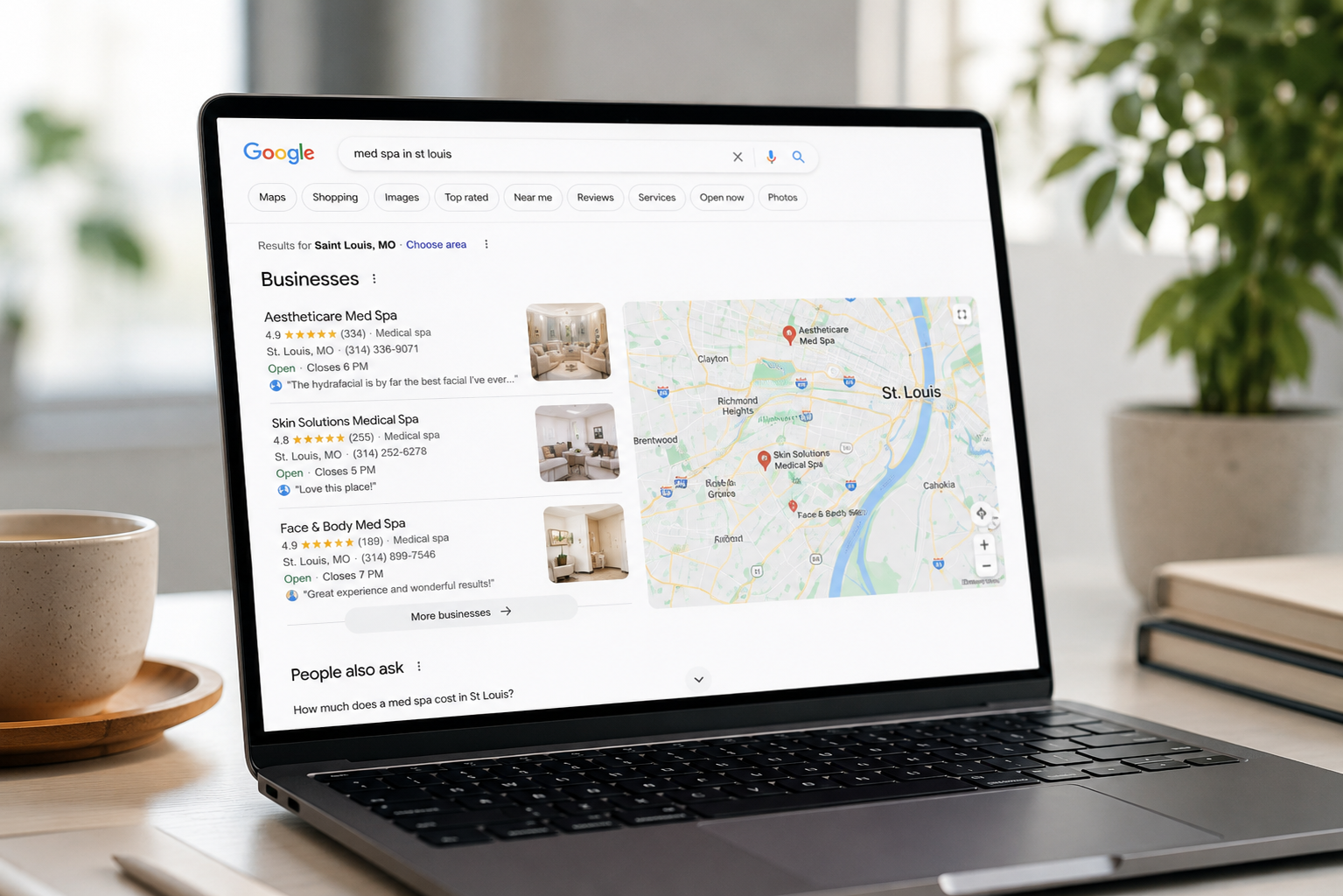
A live site and an indexed site are two different things. In my client accounts, roughly half the "we've disappeared" panics turn out to be ranking problems in disguise — the site is sitting on page four, not missing. (That's a first-hand observation from my own accounts, not a Google statistic.)
The decision tree:
Run
site:yourdomain.comPages appear? → Ranking track → skip to Reason #4 (and the Business Profile check in Reason #5).
Nothing appears? → Indexing track → work through Reasons #1, #2, and #3 in order.
If you'd rather not diagnose alone, you can run a full visibility snapshot on your site and I'll tell you which bucket you're in.
Reason #1: Your Site Is Too New — How Long Indexing Actually Takes
Indexing is simply Google storing a copy of your page so it can appear in results. No index, no visibility — full stop.
Google has confirmed the realistic timeline in its guidance on getting content indexed: "Crawling can take anywhere from a few days to a few weeks." For a brand-new domain with few links pointing to it, discovery can stretch longer, because Google has fewer trails to find you.
You can help. Submit an XML sitemap — a file listing your URLs — and use URL Inspection in Search Console to Request indexing. Google's guidance calls the sitemap an important way for it to discover your URLs, particularly on a just-launched site, and it adds two cautions worth knowing: individual URL submissions are quota-limited, and re-requesting the same URL repeatedly won't get it crawled any faster.
Discovery / first crawl — A few days to a few weeks. What speeds it up: Sitemap submission, inbound links.
First pages indexed — After sitemap submit + Request indexing. What speeds it up: URL Inspection request.
Long-tail visibility — Weeks after indexing. What speeds it up: Useful, relevant content.
Page 1 for lower-competition terms — 30–60 days. What speeds it up: Content depth, credible links.
Compounding rankings — 60–90+ days. What speeds it up: Sustained publishing over time.
Requesting indexing speeds discovery. It does not speed trust — there is no legitimate shortcut for earning rankings, and anyone promising instant #1 should be treated with caution.
For honesty's sake: my fastest client result was a #1 ranking in three weeks. That's the best case, faster than typical — not the promise.
Reason #2: Something Is Actively Blocking Google (noindex vs. robots.txt)
These two levers get confused constantly, and the confusion is a top cause of self-inflicted invisibility.
robots.txt controls crawling — whether Googlebot visits a page. A noindex tag controls indexing — whether Google keeps the page after visiting. Different jobs, different diagnostics.
Per Google's robots.txt documentation, robots.txt "is not a mechanism for keeping a web page out of Google" — a page disallowed there can still get indexed if other sites link to it. So blocking a page in robots.txt does not reliably remove it.
Now the classic DIY trap. If you add a noindex tag but also block the page in robots.txt, Google can't fetch the page — so, as Google's noindex documentation puts it, "the crawler will never see the noindex rule," and the page can still appear in search results. For the tag to work, the page must be crawlable.
And to kill a common piece of bad advice: you cannot put noindex inside robots.txt. Google has confirmed it doesn't support that rule there at all.
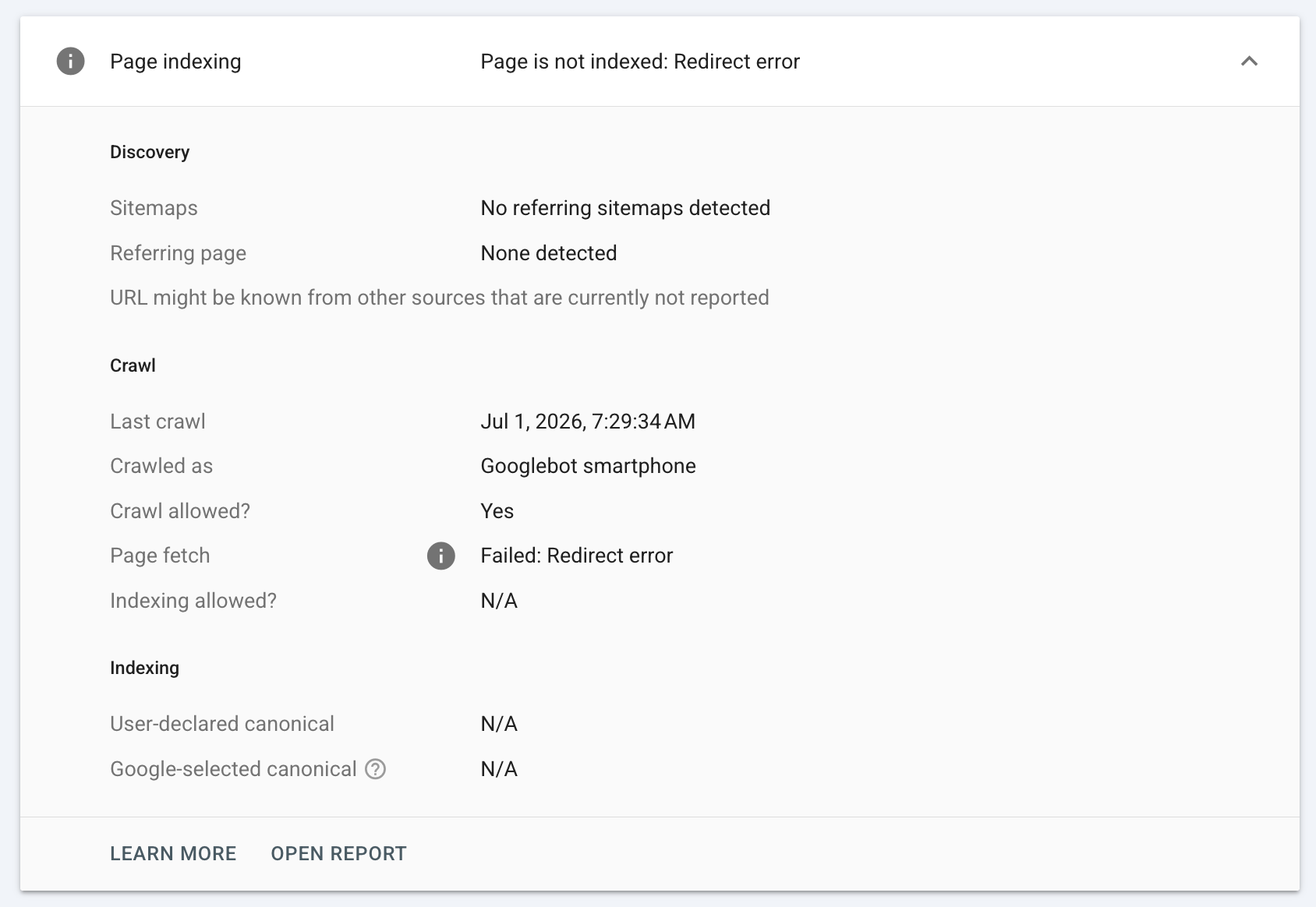
To check yourself: open yourdomain.com/robots.txt in a browser, then use URL Inspection to see the exact HTML Googlebot received. If you recently removed a noindex, expect a lag — Google notes a revisit can take months. Also look for DNS, hosting, SSL, or "robots.txt unreachable" server errors, which block Google just as effectively.
Reason #3: There's Little or No Content for Google to Index
A homepage-only or near-empty site gives Google almost nothing to work with. Thin, duplicate, or boilerplate pages routinely land in Search Console's Pages report as "Crawled – currently not indexed."
For a small business, "enough" means real service pages, genuine relevance to what people search, and content that actually helps a prospective customer — not word-count padding to hit a number. Google's own helpful content guidance frames this as people-first content that leaves visitors feeling they've had a satisfying experience.
In my client accounts, "Crawled – currently not indexed" is most often a content-value signal, not a technical bug — Google visited, saw little reason to store the page, and moved on. (That's an observation from my own Pages reports, not a Google-published rule.)
The honest limit: SEO can't fix a site that has nothing worth indexing. No tool, tag, or agency substitutes for real, useful pages. If building those pages is the bottleneck, the content engine explainer shows what a monthly build actually publishes.
Reason #4: You're Indexed but Ranking Too Low
If site:yourdomain.com shows your pages, breathe — this is not a technical emergency. It's an authority, relevance, and content-quality problem, and there is no afternoon fix.
What actually moves rankings, based on what industry data suggests and what I see in my campaigns: relevant content depth, clear on-page relevance to the search, credible links from other sites, and time. Position matters enormously — Backlinko's analysis of Google click-through rates found the #1 organic result earns a far larger share of clicks than anything below it, which is why "indexed but on page four" feels like being invisible.
A note on AI search: results now include AI Overviews, but the fundamentals that earn a citation there are the same ones that have always won. Clear, credible, well-structured content is what gets cited. It's not a separate trick.
Here's what steady work looks like in practice: for one client, 9 of the first 17 tracked keywords reached Google's top 5 within 60 days, and 14 of 17 reached the top 10. I'm happy to walk through that live Search Console account on a call so you can see it, not just take my word.
One thing to watch for: anyone promising "guaranteed #1 rankings" is selling the exact thing Google says can't be guaranteed. The only guarantee-shaped offer I make is a risk-reversal free batch — more on that at the end.
"I Show Up Nowhere for My Own Business Name" — the Google Business Profile Exception
This is the single most misdiagnosed case, because two very different failures feel identical.
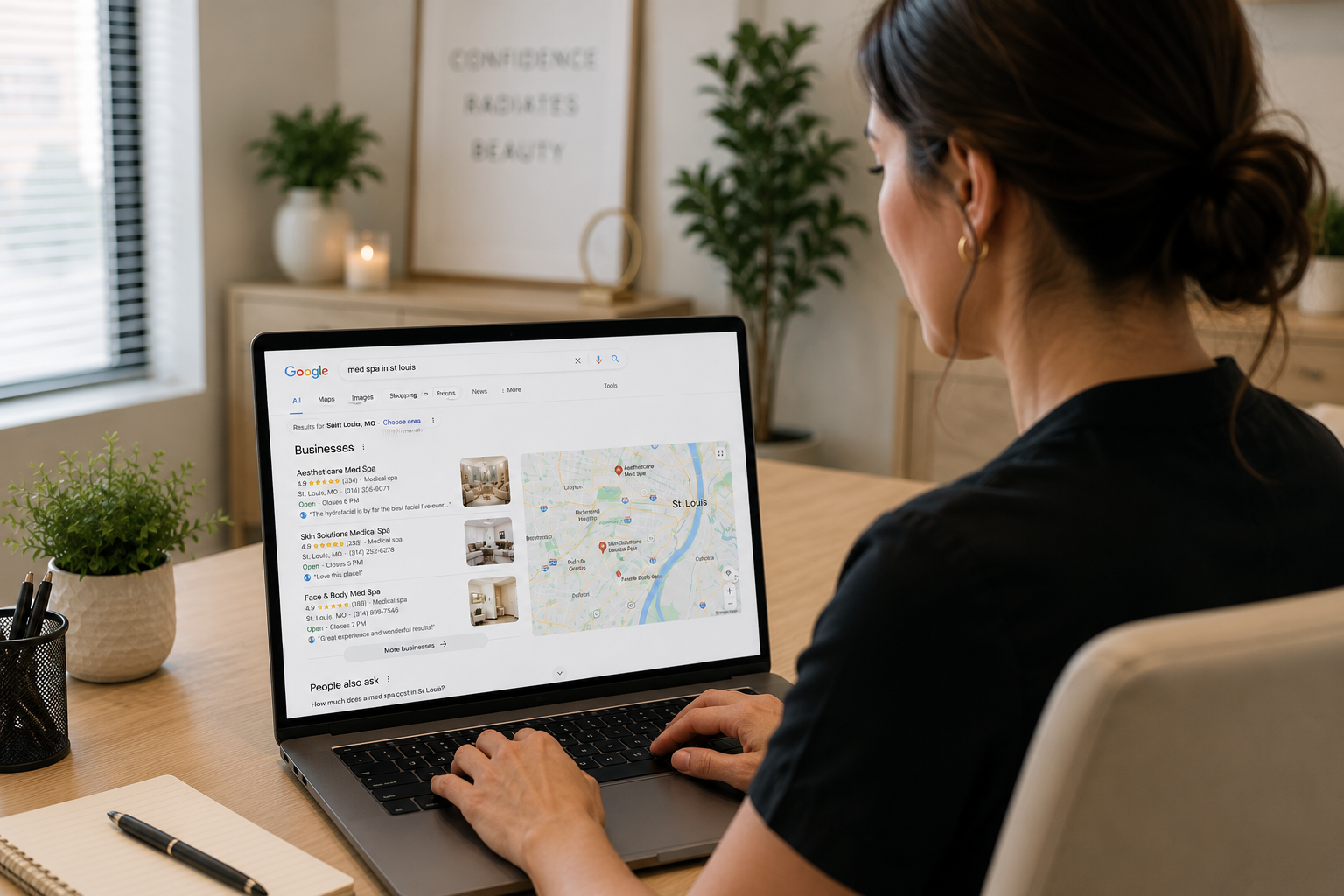
Failure (a) is organic: your website isn't in the blue links for your service. Failure (b) is the Map Pack — the map-and-pins box — where you're missing because your Google Business Profile is unclaimed, unverified, or in the wrong category. These need completely different fixes.
The good news is that the Map Pack fix is often free and fast. Per Google's Business Profile Help, "you can add or claim your business at no charge" — and once verified, customers can find the business on Search and Maps. On timing, Google's verification documentation notes review "can take up to 5 business days," and in some cases Google verifies a profile instantly.
Practical checklist: claim your profile at business.google.com/add, complete verification, then fill in your primary category, hours, and service areas. If you're a service-area business, you can hide the street address while still appearing in results.
A scam warning that fits this whole guide: you never pay Google to be listed. If someone cold-calls to say your profile "isn't verified" and demands a fee to fix it, that's the pattern to hang up on.
"Search Console Shows Nothing" — Data Lag, Not a Failure
Here's a confusion most guides skip: your page can be fully indexed and still show zero data in Search Console's Performance report. That's usually lag, not a broken site.
Two reasons. First, Performance data isn't real-time — it takes a day or two to populate. Second, query data needs a minimum number of impressions before it appears at all, so a brand-new page with almost no impressions simply won't register yet.
How to tell the difference cleanly: use URL Inspection to check indexing status — "URL is on Google" means indexed, full stop. Use the Performance report only for clicks and impressions, and expect it to lag. Don't read an empty Performance graph as an indexing failure; they measure different things.
In my client accounts, a freshly indexed page routinely shows zero Performance data for a day or two before numbers appear — every time, and it's never been a fault. (That's a practitioner observation, not a published Google figure.)
When to Fix It Yourself vs. When to Get Help
Plenty of these problems are genuinely a do-it-yourself afternoon, and I'm not going to pretend otherwise to sell you something.
DIY wins when: you have a single site that just needs indexing and a sitemap; you found a stray noindex or robots.txt rule to remove; or your Google Business Profile is simply unverified. These are owner-fixable, and you'll learn your own site in the process.
Help earns its keep when it's a ranking problem — an authority and content gap in a competitive market — and you don't have several hours a week to produce content that actually competes. That's the work that compounds and the work most owners can't fit in.
And a case for not hiring: if your offer, your booking flow, or your reviews are the real problem, more SEO traffic won't save you — fix the business first. If a vendor promises guaranteed rankings, walk away.
"Guaranteed #1 rankings." Google says rankings can't be guaranteed. What honest looks like: Risk-reversal offer, no ranking promise.
"Pay us to get verified on Google." Business Profiles are free to claim. What honest looks like: Straight setup, no fee to Google.
Anonymous / no named strategist. No one accountable for the work. What honest looks like: A real, named person on the account.
Can't show real Search Console data. Nothing to verify. What honest looks like: Live screen-share of a real account.
Long lock-in contracts. Traps you regardless of results. What honest looks like: Earn the next month with results.
Want to know who's behind the advice? Meet the strategist behind this guide before you ever get on a call.
Frequently Asked Questions
How long does it take for a new website to show up on Google?
Crawling can take anywhere from a few days to a few weeks, per Google's own guidance. Discovery is slower for brand-new domains with few inbound links. Submitting a sitemap and using Request indexing helps Google find your pages faster.
How do I check if my website is indexed?
Run site:yourdomain.com in Google — if pages appear, you're indexed. For a definitive answer, use URL Inspection in Search Console; "URL is on Google" confirms indexing, and if it isn't indexed you can Request indexing there.
Is it free to get my website and business on Google?
Yes. Appearing in organic search results is free, and Google confirms adding or claiming a Business Profile costs nothing. You never pay Google for a listing, so treat any fee-to-be-listed pitch as a red flag.
Why doesn't my website show up when I Google my own business name?
Usually it's an unverified, unclaimed, or miscategorized Google Business Profile, or a brand-new or thin organic site. Claim and verify your profile first — Google notes verification review can take up to five business days, and sometimes it's instant.
What's the difference between robots.txt and a noindex tag?
robots.txt controls whether Google crawls a page; a noindex tag tells Google not to keep it. Google says robots.txt is not the mechanism for keeping a page out of results — and a noindex tag only works if the page isn't also blocked in robots.txt, because a blocked page means Google never sees the tag.
How do I find out if SEO is worth it for my business?
Send your main service and city for a free visibility snapshot, and within 48 hours you'll see exactly where you rank today — no call required. If you'd rather see proof, the free first batch targets 6 keywords for your business, and if at least one isn't in Google's top 3, you owe nothing.